A practical walkthrough · October 28, 2026
From a business brief to files you can keep.
Nimbus Launch Kit is a downloadable website kit for technically comfortable solo operators and freelance web developers. It gives you a fixed browser editor, one original service-business design, three color themes, and editable source. This walkthrough explains the actual steps and the boundaries before you decide whether it fits.
Watch the real kit in use
An 82-second, silent walkthrough made from actual screen captures of version 0.1.0. It shows loading a fictional sample, editing content, rebuilding two themes, and inspecting the generated export. The sequence has cuts between steps; it makes no real-time speed claim.
Demonstration by Nimbus Web Studio, the seller. Morrow Garden Studio is fictional. The video contains no customer testimonial, stock photography or generated interface. The text below covers the workflow, requirements and limits.
1. Open the purchased kit locally
After a verified purchase, download the kit from its private confirmation page and keep that address. Download email is currently unavailable. Unzip the archive and read README.md. On macOS, the included launcher starts the local editor. You can also open a terminal in the unzipped kit folder and run:
python3 builder.py app
With the standard Windows Python launcher, the equivalent command is py builder.py app. Keep the terminal open while editing. It prints a local address beginning http://127.0.0.1: and opens your browser. This is the editor running on your computer, not a hosted Nimbus dashboard.
2. Bring the facts, not a prompt to invent them
Enter the business name, introduction, service area, services, questions and contact details. The labeled fictional sample is useful for learning the workflow. Keep its fictional notice while experimenting. For a real site, replace sample facts with material the business has approved.
The kit does not invent testimonials, qualifications, completed projects or search results. Contact links open the visitor’s email or phone application; there is no backend form or booking engine. Use the free content checklist if you need help gathering the information.
3. Choose a direction, then build
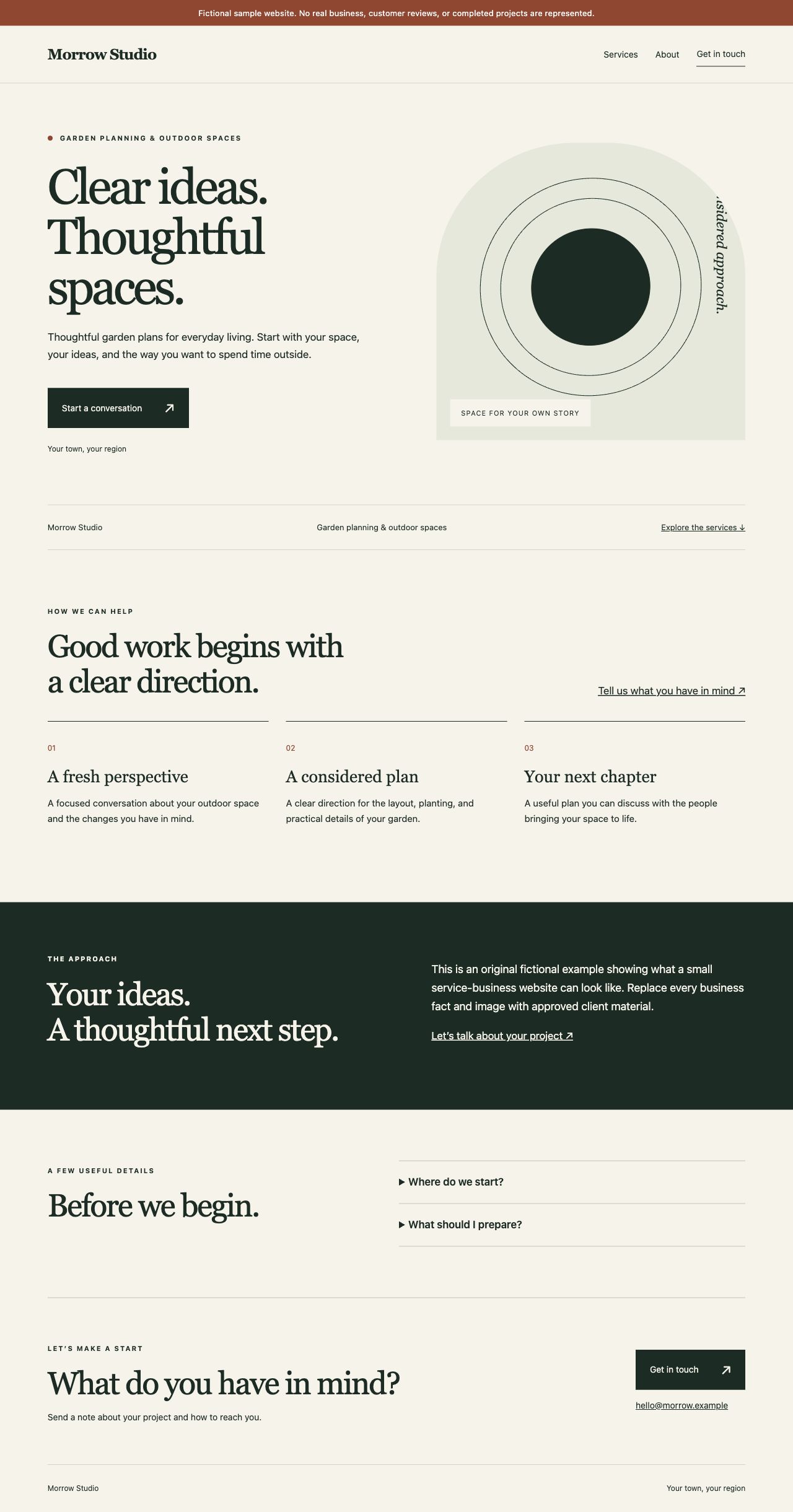
Garden, Studio and Workshop are three coordinated color themes over one layout. They are not three independent templates or an arbitrary drag-and-drop canvas. Choose a theme, optionally supply a local photo you may publish, and build. The local preview displays the generated files; changing a field requires building again to update that export.
Useful image descriptions and appropriately sized photos matter. Photos are copied as supplied rather than automatically resized. Keep your original assets and the saved brief so you can reopen and revise the site later.
4. Export the website, keep the workspace private
Export ZIP contains the static website files: HTML, CSS, crawler instructions and any authorized local image. It does not include your private saved brief or the whole editor. The builder also offers CLI access to the same renderer and checker:
python3 builder.py build example.json --out my-draft
python3 builder.py check my-draft
python3 builder.py zip my-draft --out my-draft.zip
Generated versions preserve earlier output rather than overwriting it. Basic checks catch missing local links or assets, unexpected files and remote dependencies. They are not a full accessibility, security or legal audit.
5. Choose deployment separately
A portable export gives you the files. It does not register a domain, configure DNS, publish automatically or maintain a host. Read the included deployment instructions and upload only the website export to your chosen host. Never upload the editor, private workspace or credentials. The handoff checklist helps you review that boundary.
Who should choose something else?
If you need ecommerce, customer accounts, a publishing-heavy CMS, native booking or someone to design and maintain a custom site for you, this narrow kit is not a complete solution. Free builders and other tools may fit better. Nimbus’s offer is this particular design, local workflow and editable source—not a promise that every business needs it.
Review the $149 kit and purchase terms
One-time purchase covers version 0.1.0, commercial personal/client website exports and 30 days of limited support. Hosting, domains, custom work and lifetime maintenance are excluded. See the complete license, refunds, support and privacy terms. No customer outcomes or measured time savings are claimed.